Pore Size
Pore Size measures where the pore volume sits by pore size: the share of pore volume in pores of each radius. Use it to compare samples, to check that pores are resolved by enough voxels, or as the sizes to set beside a mercury intrusion curve.
Run it
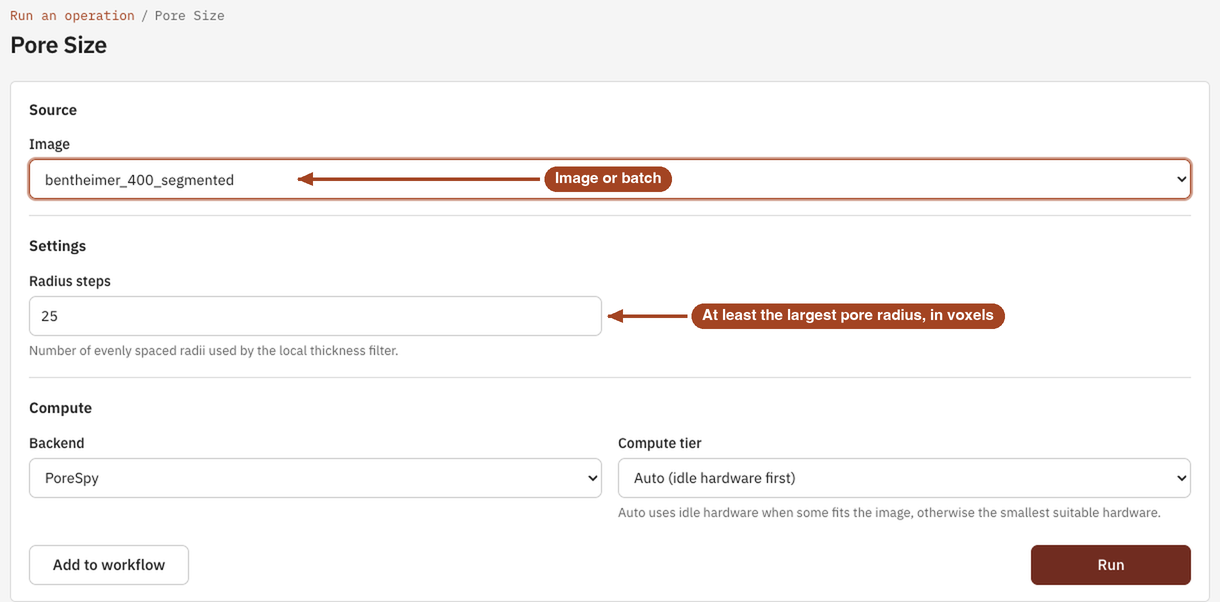
- Open Tools, then Structure, and select Pore Size. You can also start from an image's page, which fills in the image for you.
- Under Source, choose the Image, or a batch to run every image in it.
- Under Settings, leave Radius steps at
25unless the image has pores more than 25 voxels in radius. - Under Compute, the Backend is PoreSpy.
- Select Run. The job page opens and follows the job until it finishes.
Settings
| Setting | Default | Range | What it does |
|---|---|---|---|
| Image | your team's images and batches | The image to analyse, or a batch to run one job per image. | |
| Radius steps | 25 |
2 or more | Number of evenly spaced radii tried when fitting spheres into the pores. Set it at least as large as the largest pore radius, in voxels, to try every whole radius. |
| Backend | PoreSpy | PoreSpy | The software that runs the analysis. |
| Compute tier | Auto | Auto, or a tier your team may use | Shown only when your team can choose the machine. Every tier gives the same answer. See Compute and hardware. |
Results
The Jobs list and the report sum the result up as the Median pore radius \(r_{50}\): half the pore volume sits in pores at least this large. The job page shows:
- Chart: a histogram of Pore Radius, in µm once the image has a voxel size and in voxels otherwise.
- Data: the Pore Size Distribution table, one row per radius bin, with the columns Pore radius, PDF, Fraction of pore volume with larger radius, Fraction of pore volume in bin, Bin center, Bin edge and Bin width. Lengths are in µm once the image has a voxel size, and in voxels otherwise.
- A slice viewer of the Local thickness (radius, voxels) map: every pore voxel coloured by the radius of the largest sphere that covers it, so you can see which pores make up each part of the histogram.
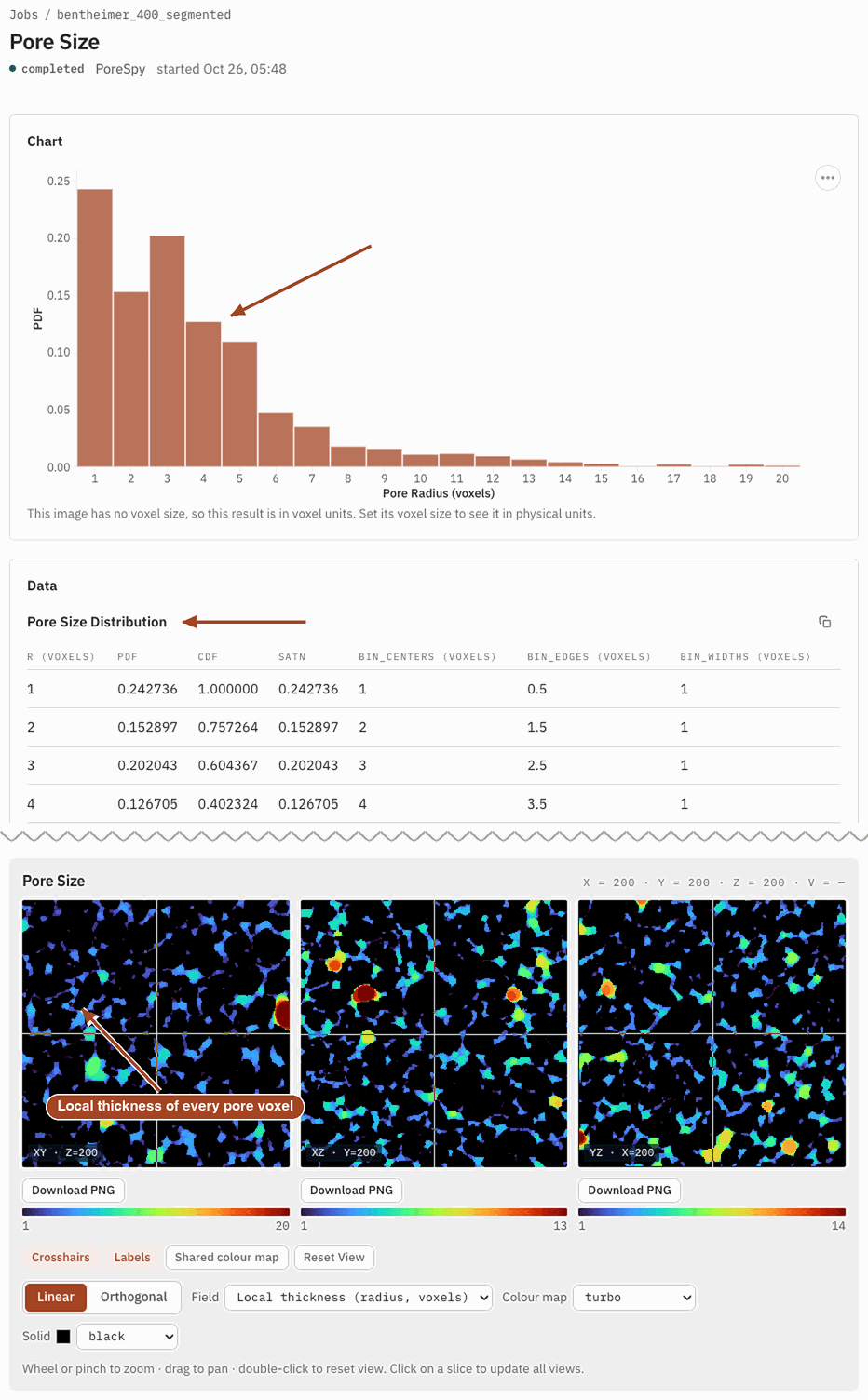
From the job page you can Download Report as PDF or HTML, Download scalar fields to keep the local-thickness map, and Run Again with other settings.
Common problems
- Empty bins between filled ones. Radius steps is smaller than the largest pore radius, so some radii were skipped and their pore volume went to the next smaller radius. Run again with more steps.
- Most of the volume in the first bin or two. The pores are only a voxel or two across, which the image can't resolve. Use a finer scan if you can.
- A different answer from mercury porosimetry. Pore Size ignores how pores connect; Mercury Porosimetry counts a big pore at the size of the narrow throat that leads to it. The gap between the two is information about the material, not an error.
- Pores look bigger than the pore count suggests. The distribution is weighted by volume, so a few large pores can outweigh many small ones.
Science
How local thickness is defined and computed, how the bins are chosen and how to read the distribution: Pore Size in the Scientific reference.