Porosity Profile
Porosity Profile plots the porosity of each one-voxel slice against its position along an axis. Use it to find layering, gradients or a damaged cut face, or to check that a segmentation doesn't drift along the scan.
- Find it Tools › Structure › Porosity Profile
- Needs a segmented 3D image, up to 1024³ voxels
- Returns slice porosity against position along X, Y and Z, and the mean porosity \(\bar\varphi\)
- Runs on CPU, with PoreSpy
- Science Porosity Profile
Run it
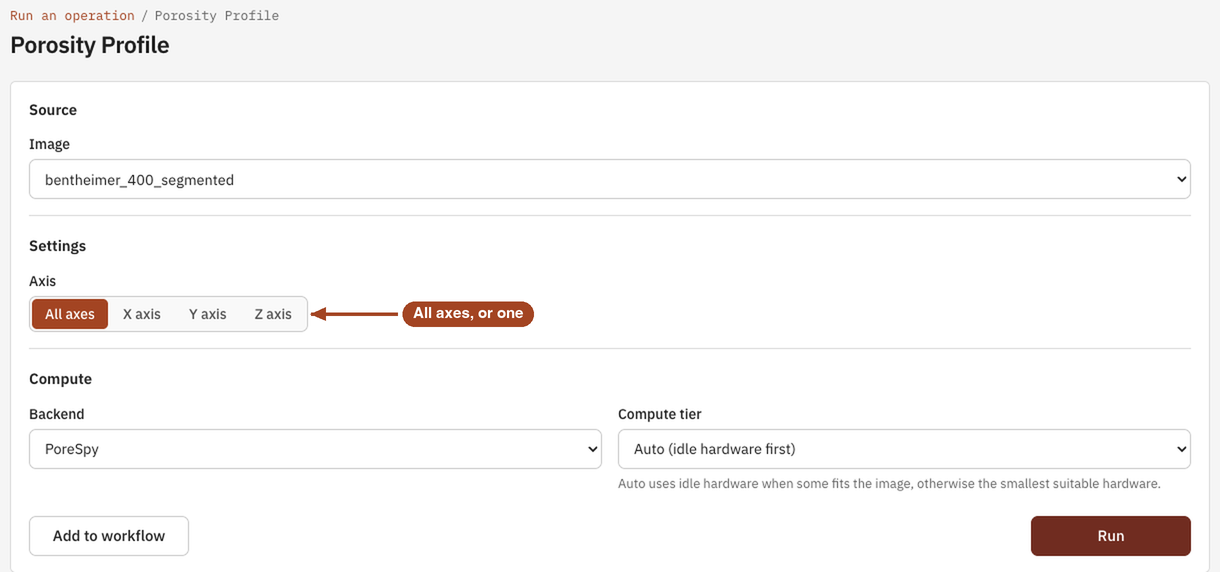
- Open Tools, then Structure, and select Porosity Profile. You can also start from an image's page, which fills in the image for you.
- Under Source, choose the Image, or a batch to run every image in it.
- Under Settings, pick the Axis: All axes, or one of X axis, Y axis and Z axis.
- Under Compute, the Backend is PoreSpy.
- Select Run. The job page opens and follows the job until it finishes.
Settings
| Setting | Default | Range | What it does |
|---|---|---|---|
| Image | your team's images and batches | The image to analyse, or a batch to run one job per image. | |
| Axis | All axes | All axes, X axis, Y axis, Z axis | The axis to profile along. All axes gives one profile for each. |
| Backend | PoreSpy | PoreSpy | The software that runs the analysis. |
| Compute tier | Auto | Auto, or a tier your team may use | Shown only when your team can choose the machine. Every tier gives the same answer. See Compute and hardware. |
Results
The Jobs list and the report sum the result up as the Mean porosity \(\bar\varphi\), which equals the image's porosity. The job page shows:
- Chart: porosity against Position, one line per axis, in µm once the image has a voxel size and in voxels otherwise.
- Data: a Porosity Profile table for each axis, with each slice's position and porosity.
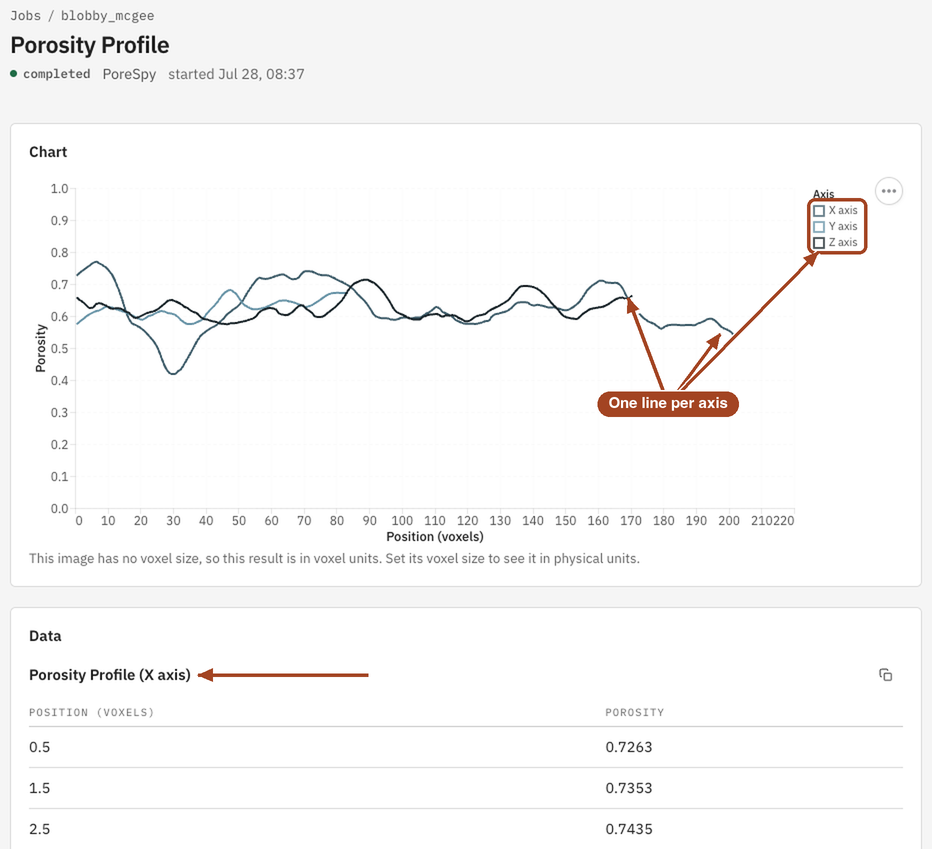
From the job page you can Download Report as PDF or HTML and Run Again with other settings.
Common problems
- The first or last few slices differ from the rest. Often a damaged cut face or resin at the surface. Trim the affected slices before running transport analyses.
- A slow trend along one axis. It may be real layering, or a segmentation that drifts along the scan. Compare the greyscale image along the same axis before you trust it.
- Large slice-to-slice swings. The pores are large compared with a slice, so each slice samples few of them. The mean is still the image's porosity.
Science
The definition and how to read a profile: Porosity Profile in the Scientific reference.