Trimming
Trimming crops an image to a box. Use it to remove a frame of solid around the sample, the space outside a cylindrical core, damaged end slices, or simply to analyse a smaller region.
- Find it Tools › Preparation › Trimming, or Prepare on an image's page
- Needs a 3D image, binary or greyscale
- Returns the cropped image, saved as a new image or over the original, with the same voxel size
- Runs on CPU
Run it
- Open Tools, then Preparation, and select Trimming.
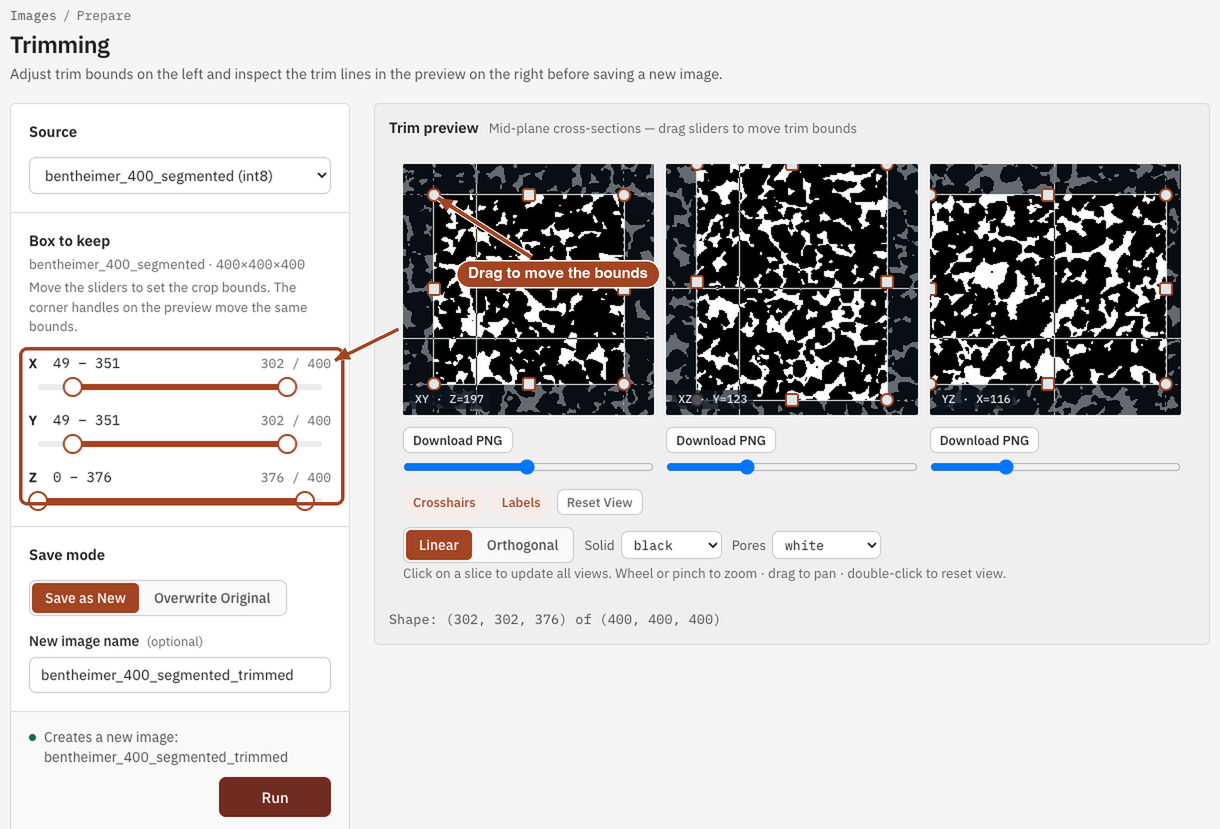
- Under Source, choose the image. Its three mid-plane cross-sections load in the Trim preview on the right.
- Under Box to keep, move the X, Y and Z sliders to set where the box starts and ends along each axis. You can also drag the corner handles on the preview; the trim lines move with both. Each axis shows its range and how many voxels are kept, such as
20 – 480and460 / 500. - Under Save mode, choose Save as New and a New image name, or Overwrite Original.
- Select Run. The job page opens and links to the trimmed image when it's done.
Settings
| Setting | Default | Range | What it does |
|---|---|---|---|
| Image | your team's images | The image to crop. | |
| Box to keep: X, Y, Z | the whole image | from 0 to the image's size along each axis | Where the kept box starts and ends. The end is exclusive, so 20 – 480 keeps 460 slices. |
| Save mode | Save as New | Save as New, Overwrite Original | Whether to keep the original and add a cropped copy, or replace it. |
| New image name | the image's name with _trimmed |
up to 200 characters | Save as New only. |
Results
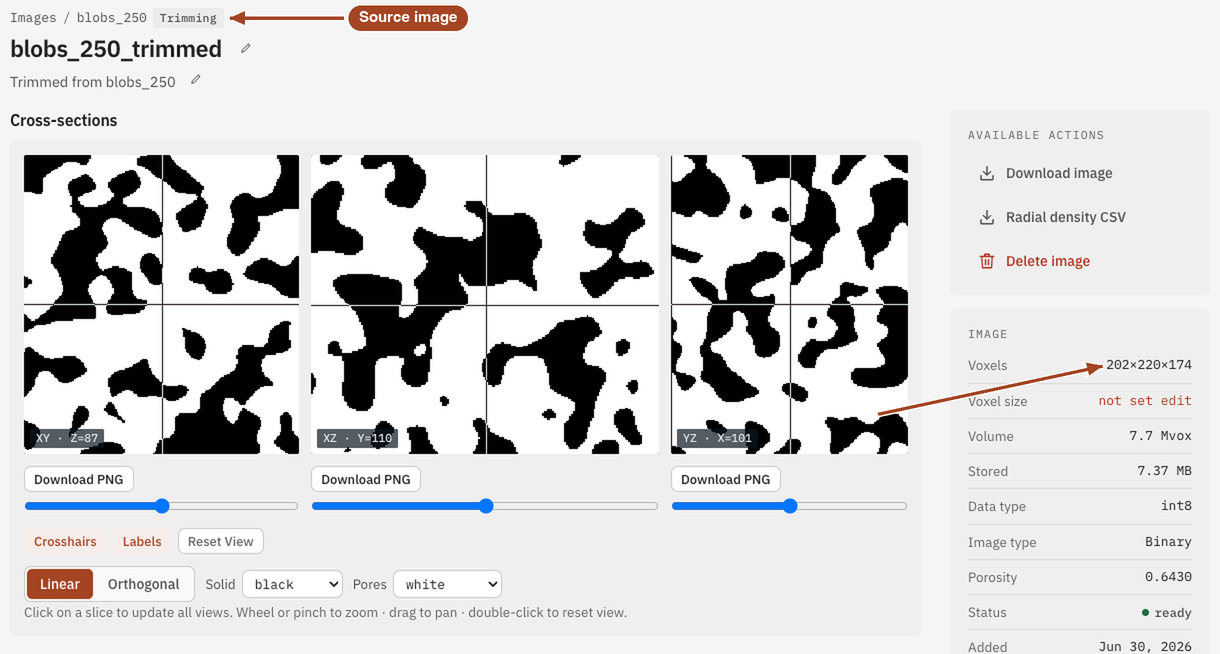
The job page shows an Output image panel, or Image updated when you overwrote the original, with View output image. The cropped image keeps the original's voxel size and data type; its porosity is measured again.
Common problems
- Saving over the image removed its 3D fields. Overwriting an image discards the fields its earlier results saved, though their numbers stay. Use Save as New to keep them.
- The preview takes a while to appear. Large images take a moment to open; see Opening stored data.
- A round core still has solid corners. Trimming crops to a box. Keep the largest box that fits inside the core, or clean the result if the outside was segmented as pore.