SEM View
SEM View shows a segmented image the way a scanning electron micrograph of a cut surface would: you see into the pores, and surfaces farther below the cut look darker. Use it to read depth into a stack of black-and-white slices, or to compare an image with a micrograph of the same material. It's a rendering, not a simulation of the instrument.
Run it
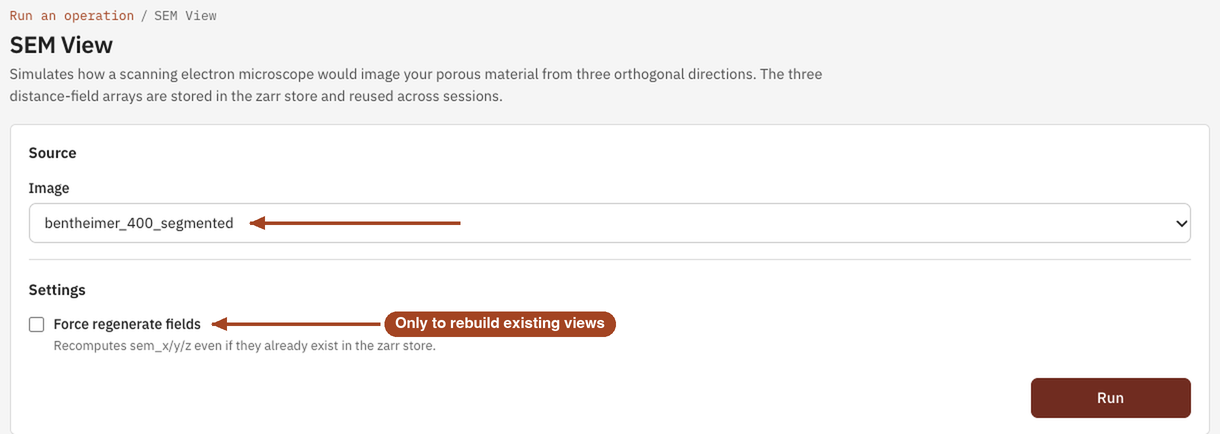
- Open Tools, then Visualize, and select SEM View. You can also start from an image's page, which fills in the image for you.
- Under Source, choose the Image, or a batch to run every image in it.
- Leave Force regenerate fields unticked unless you want to rebuild views the image already has.
- Select Run. The job page opens and follows the job until it finishes.
Settings
| Setting | Default | Range | What it does |
|---|---|---|---|
| Image | your team's images and batches | The image to render, or a batch to run one job per image. | |
| Force regenerate fields | off | on, off | Rebuilds the views even if the image already has them. |
The views are stored with the image, not the job. When an earlier SEM View run on the image completed and its views are still there, a new run reuses them unless you tick Force regenerate fields. Saving an edit over the image removes them, and the next run rebuilds them.
Results
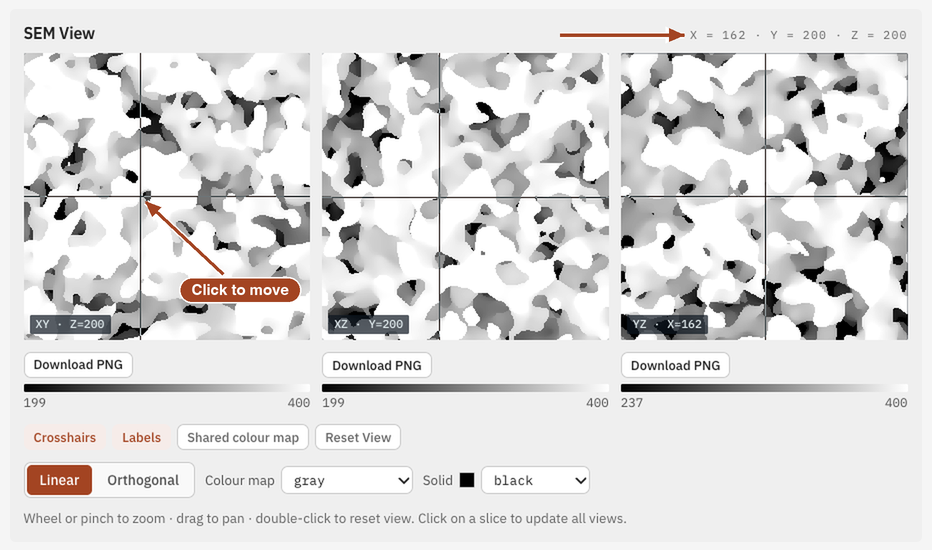
The job page shows the SEM View in a viewer of three orthogonal panels, XY, XZ and YZ, each shaded for slicing normal to its own axis. Click a panel to move the crosshairs; the other two panels follow, and the read-out gives the X, Y and Z of the point. Solid cut by the plane is brightest, and pores fade to dark with depth.
Common problems
- The run finished at once and nothing looks new. The image already had its views, and the run reused them. Tick Force regenerate fields to rebuild them.
- Pores at one edge look shallow. Depth counts from the image's edge, so a pore open to the edge at index 0 looks shallower than it is.
- Comparing two images. Brightness is relative to each image's deepest pore, so compare grey levels within one image, not between images.
- The image is too large. SEM View takes up to 1024³ voxels. Trim the image first.
Science
How depth is counted and turned into brightness: SEM View in the Scientific reference.